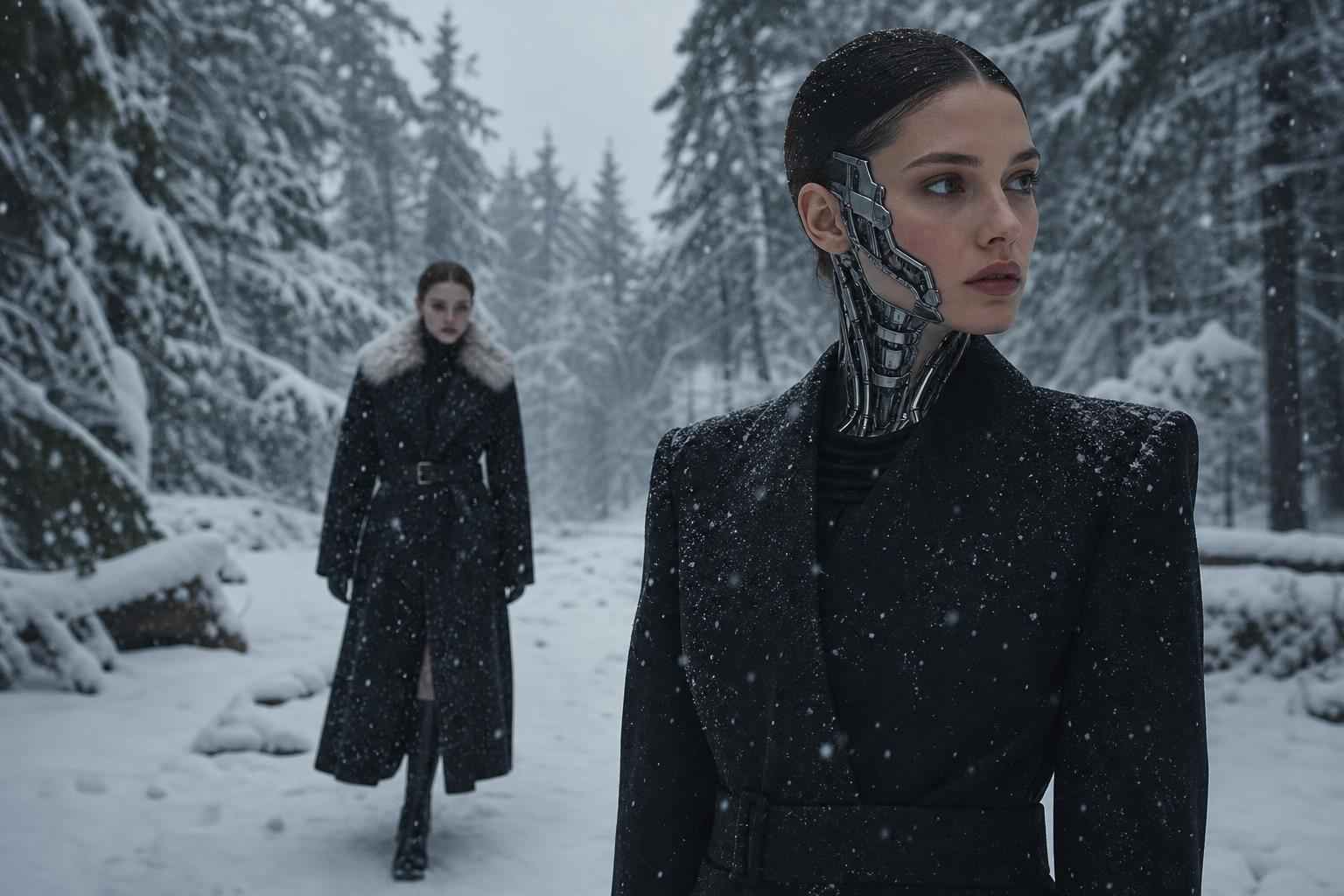
Kling AI Tips and Tricks: How to Create More Realistic AI Videos
Focused keyphrase: Kling AI tips and tricks
Secondary keyphrases: how to create realistic AI videos, Kling AI video generation, AI video realism, cinematic AI videos, Brandlab creative strategy
There is a reason the conversation around AI video has shifted so quickly. Not long ago, most generated clips were interesting but obviously artificial. Hands bent strangely. Motion drifted. Backgrounds shimmered. Faces felt nearly right, but not convincingly human. Today, tools like Kling AI are changing that standard.
The new challenge is no longer simply generating a video. The real question is this: how do you create AI videos that feel believable, cinematic, and emotionally persuasive?
That is where strategy matters. Realism in AI video is not an accident. It comes from the right prompt architecture, visual discipline, motion planning, scene logic, and post-production decisions. If you are a marketer, founder, creator, or brand team looking to stand out, mastering Kling AI tips and tricks can help you move from “that looks AI-generated” to “how did they shoot that?”
In this guide, we will explore practical, high-impact ways to improve realism with Kling AI, why some AI videos immediately look better than others, and how brands can unlock remarkable creative possibilities. Along the way, we will also point to trusted research and third-party sources that support what works in AI visual production.
Why Realistic AI Video Matters More Than Ever
Audiences have become extraordinarily visually literate. They may not know exactly why a video feels “off,” but they know when it does. The consequence? Your message loses power.
Realism matters because it drives trust, attention, and emotional immersion. Whether you are producing social ads, campaign visuals, storyboards, pre-visualisation, product films, or branded content, realism can make the difference between curiosity and conversion.
The psychology behind believable visuals
Humans are sensitive to tiny visual inconsistencies. Motion, lighting, facial balance, depth, and camera physics all influence whether something feels real. Research around visual perception and synthetic media continues to show that contextual cues and coherence strongly affect believability. For broader reading on synthetic media and realism, see the MIT Technology Review’s ongoing coverage of generative AI and deepfakes: MIT Technology Review on Artificial Intelligence.
Why brands cannot afford “almost good” anymore
Today’s digital environment is crowded with content. Good-enough visuals are easy to scroll past. Exceptional visuals interrupt attention. If your AI video feels polished, natural, and purpose-driven, your audience gives it something precious: time.
“People do not buy because a tool is new. They buy because the result feels right.”
— Creative strategy insight often echoed across modern brand production teams
What Makes Kling AI So Powerful for Realistic Video Creation?
Kling AI has gained attention because it can generate dynamic motion with an impressive sense of temporal consistency. In practical terms, that means scenes can feel more coherent from frame to frame, which is one of the biggest hurdles in AI video generation.
Motion is where realism wins or fails
Static images can be faked convincingly. Video is harder. As soon as subjects move, every frame must maintain identity, anatomy, lighting logic, and environmental continuity. Kling AI’s appeal lies in how it approaches movement more naturally than many earlier systems.
For useful industry context on rapid advances in text-to-video systems, see Reuters’ reporting on generative AI progress and market momentum: Reuters AI coverage.
It enables cinematic ambition at speed
Instead of relying on large crews or expensive shoots for every concept test, teams can now explore mood, framing, setting, and story progression much faster. That makes Kling AI especially valuable for agile campaigns, concept development, speculative pitches, and social-first storytelling.
Kling AI Tips and Tricks for More Realistic Results
If you want your work to look more believable, polished, and premium, focus on these high-value principles. These are the practical moves that improve AI video realism.
1. Start with a clear cinematic intention
Do not begin with “make a man walking in a city.” Begin with a directorial vision. Think in terms of lens, mood, time of day, atmosphere, and emotional tone.
For example, instead of prompting:
“A woman walking in Paris.”
Try something closer to:
“A cinematic medium shot of a stylish woman walking through a rain-slick Paris street at blue hour, soft practical lights reflecting in puddles, subtle handheld camera movement, realistic fabric motion, natural facial expression, 50mm lens aesthetic, shallow depth of field.”
Specificity gives the model better constraints. Better constraints create better realism.
2. Use camera language, not just object description
One of the smartest Kling AI tips and tricks is to prompt like a filmmaker. Include language such as:
- close-up
- medium shot
- tracking shot
- slow dolly-in
- over-the-shoulder framing
- shallow depth of field
- natural motion blur
- soft backlighting
These instructions help structure the visual result beyond subject matter. That is often what separates generic AI output from stunning AI direction.
3. Keep actions simple and physically plausible
Many unrealistic AI videos ask too much of the system at once. If a subject is running, flipping, turning, interacting with multiple objects, and moving through a visually chaotic environment, errors become more likely.
Start with one clear movement. Let the scene breathe. Realistic motion often comes from restraint.
4. Control the environment carefully
Background clutter can destroy believability. Give Kling AI a stable environment with coherent details. Weather, architecture, lighting, and crowd levels should all support the main subject rather than compete with it.
Ask yourself: Would a real cinematographer choose this many distractions in frame? Usually not.
5. Specify natural light sources
Lighting is one of the strongest realism signals in any visual medium. Instead of simply saying “well lit,” define the source:
- soft morning window light
- golden-hour sunlight from camera left
- neon signage reflecting on wet pavement
- overcast daylight with soft shadows
When the light direction makes sense, the footage feels more believable immediately.
6. Prompt for texture and material realism
Many AI-generated videos fail because surfaces feel too smooth or too synthetic. Mention texture. Include words like:
- natural skin texture
- realistic cotton fabric folds
- weathered wood grain
- subtle metallic reflections
- fine hair detail
These cues encourage the model to produce imagery with tactile credibility.
7. Protect facial consistency
Faces are unforgiving. Viewers instantly notice when identity shifts from frame to frame. If your scene is character-led, keep the shot duration manageable and avoid overly aggressive motion early in the process. Test close-ups separately. Build confidence scene by scene.
Broader discussion around generative media consistency can be found in publications like The Verge, which frequently analyses developments in AI imaging and video: The Verge AI coverage.
8. Think in sequences, not one giant masterpiece prompt
A common mistake is trying to create an entire cinematic story in one generation. The better approach is modular. Generate:
- an establishing shot
- a subject shot
- a reaction shot
- an environmental cutaway
- a closing detail shot
Then edit them together. This creates stronger pacing and gives you greater control over realism and narrative impact.
9. Use negative prompting where possible
If the platform supports it, define what you do not want. Common issues to avoid include:
- extra fingers
- warped anatomy
- flickering background
- unnatural eye movement
- over-saturated colours
- cartoonish textures
This can reduce the chance of distracting artefacts.
10. Add realism in post-production
The best AI videos are often finished, not merely generated. Add subtle colour grading, motion blur refinement, grain, sound design, and clean editing. These production layers can dramatically improve perceived realism.
That is a critical truth many beginners miss: AI generation is the beginning of the video craft, not the end.
Table: Prompt Elements That Increase Realism in Kling AI
| Prompt Element | Why It Helps | Example |
|---|---|---|
| Camera framing | Creates cinematic discipline | “Medium close-up, eye-level shot” |
| Lighting source | Improves environmental believability | “Soft morning light through window blinds” |
| Lens aesthetic | Shapes depth and realism | “50mm lens, shallow depth of field” |
| Motion control | Reduces visual chaos | “Slow walk, subtle head turn” |
| Surface detail | Adds tactile authenticity | “Natural skin texture, realistic wool coat” |
| Environmental consistency | Prevents distracting mismatches | “Quiet urban street, light traffic, damp pavement” |
What the Best AI Video Creators Do Differently
Great creators do not rely only on the tool. They build a system around it.
They reference real filmmaking
The strongest AI video artists often have a deep appreciation for cinema, photography, fashion films, commercials, architecture, or documentary framing. They borrow the logic of real-world visual storytelling. They study what makes a frame feel expensive, intimate, urgent, or truthful.
They iterate without ego
Here is a hard but liberating truth: your first result is rarely your best. Professionals test, refine, compare, and rebuild. That process is not failure. It is how standout work gets made.
They know when to stop generating and start directing
At a certain point, better output comes not from endlessly re-prompting, but from editing, sequencing, compositing, colour finishing, and strategic storytelling.
“The tool can make images move. The brand makes them matter.”
— A principle every ambitious marketing team should remember
What Is Possible for Brands Right Now?
This is where the conversation becomes exciting. Kling AI video generation is not just about novelty. It is about unlocking new ways to communicate value.
Campaign ideation at speed
Before spending heavily on production, brands can test tone, visual direction, concept variations, and story beats quickly. Imagine how much stronger your creative decisions become when you can see routes before committing budget.
Social-first content that feels premium
Modern audiences want speed, but they still reward craft. AI video can help brands produce more content without sacrificing ambition, particularly when supported by an experienced creative partner.
Product storytelling beyond the ordinary
What if your product could be placed in imaginative, cinematic, emotionally charged scenarios without the usual production limitations? What if you could visualise future campaigns before a single location is booked?
Why not get the solution? If your content pipeline needs to be faster, more imaginative, and more visually impressive, there is no reason to settle for trial-and-error alone.
Common Mistakes That Make AI Videos Look Fake
Too much happening at once
Complex motion can break continuity. Simplicity often wins.
Ignoring visual hierarchy
If everything in the frame is loud, nothing feels intentional. Give the eye a clear focal point.
Prompting without emotional tone
Real video is not only visual. It is emotional. Is the scene tense? Warm? Aspirational? Lonely? Luxurious? Include that feeling.
Skipping post-production
Even incredible generations can feel unfinished without expert editing and finishing touches.
Chart: The Realism Workflow That Delivers Better Results
| Stage | Primary Focus | Outcome |
|---|---|---|
| Concept | Story, audience, mood | Clear creative brief |
| Prompt design | Camera, lighting, action, texture | Stronger first-generation output |
| Iteration | Refinement and error reduction | Improved realism and consistency |
| Editing | Sequencing and pacing | Narrative clarity |
| Finishing | Colour, sound, polish | Premium final video |
Why Working with Brandlab Makes the Difference
Tools are available to everyone. Results are not.
The gap between average and extraordinary AI video content is usually not the platform itself. It is the creative strategy, brand intelligence, prompt craftsmanship, and production judgement behind it.
Brandlab can help turn experiments into assets
If you are exploring how to use Kling AI for campaigns, branded video, concept development, or content at scale, Brandlab can help shape the work so it does not just exist, but performs. That means stronger storytelling, better visual decisions, and content designed to support real business goals.
From “interesting” to “irresistible”
Anyone can generate clips. But can those clips hold attention, communicate trust, and create desire? Can they reflect your brand with confidence rather than confusion? That is where expert creative direction matters most.
Final Thoughts: The Future Belongs to the Well-Directed
Kling AI tips and tricks are not just technical hacks. They are creative leverage. They help transform AI video from a curiosity into a serious storytelling medium.
The biggest winners in this space will not be the ones who merely use AI. They will be the ones who direct it with taste, discipline, empathy, and commercial intelligence.
So ask yourself: What could your brand create if cinematic realism became faster, more flexible, and more affordable? What if you could test larger ideas, launch sooner, and produce visual work that makes people stop scrolling? What becomes possible then?
You already know the answer. Better content creates better attention. Better attention creates better outcomes.
Why not get the solution? If you are ready to create more realistic AI videos, sharpen your visual storytelling, and turn emerging technology into brand advantage, contact Brandlab and start building what others will still be trying to figure out.